Workshop archive · Docker & Kubernetes · 24 slides
Kickstarting KubernetesFrom containers to a cluster
Why containers exist, how Docker images are built and shared, and how Kubernetes runs them — followed by hands-on sessions setting up a cluster and deploying to it.
By Nikhil Krishna · Paid workshop · Intern onboarding
An HTML edition of my original workshop slides, lightly copy-edited. I taught this as a paid workshop and also used it to onboard interns at UST Global’s Infinity Labs. The illustrations and technical content reflect the material at the time; this is a historical presentation. The two hands-on sessions were taught live at the keyboard and aren’t captured here.
In the slides, press S for speaker notes, O for the overview and F for full screen.
Contents
Kickstarting Kubernetes
Nikhil Krishna
Paid workshop
Agenda
- Introduction to containers and containerisation
- An overview of Docker and how to use it
Tea break
- Diving into container orchestration with Kubernetes
Lunch
- Hands on Kubernetes — setting up a cluster
- Hands on Kubernetes — deploying containers to your cluster
- What next? Some avenues to explore
The “good old days”
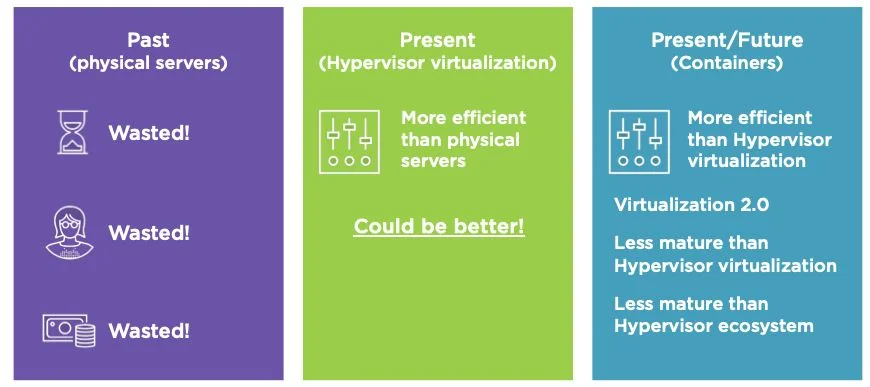
- One physical server — one application (often even more than one application)
- Single stack — one language
- More compute — purchase hardware
- Servers were treated as pets and given names
- Hardware was over-specified to account for “surge” scenarios, resulting in waste
It gets better…
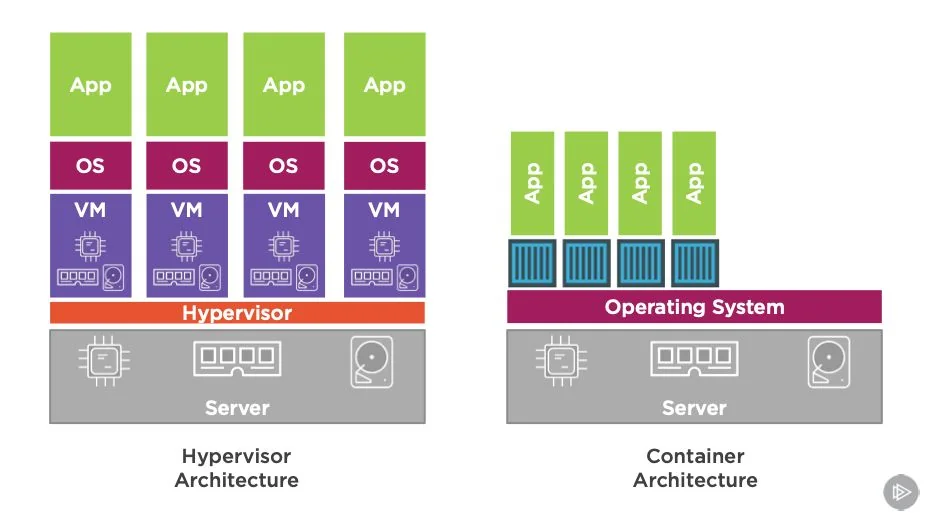
- Virtual machines add a layer of abstraction over the server so that
- One physical server — multiple VMs — multiple stacks — multiple applications
- More efficient, as server load could be adjusted and optimised
- More compute — spin up another VM
- Enabled cloud computing
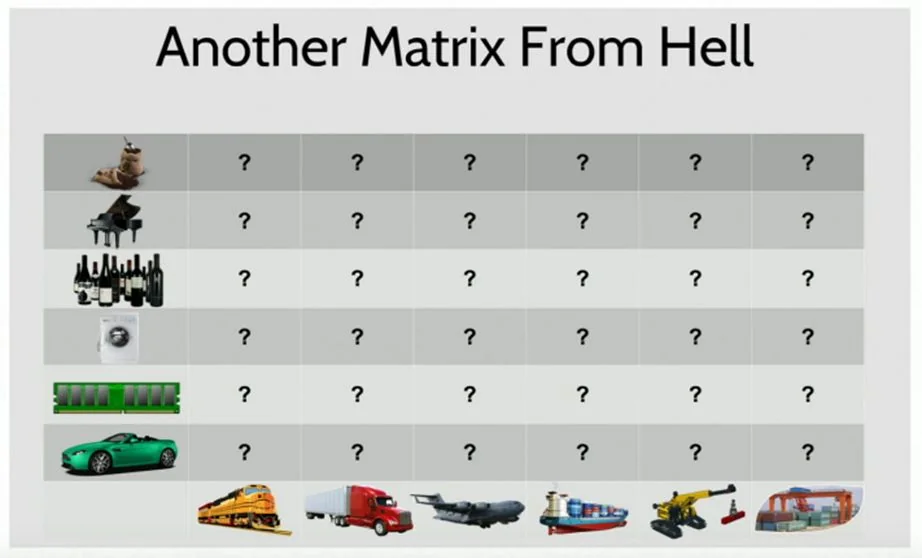
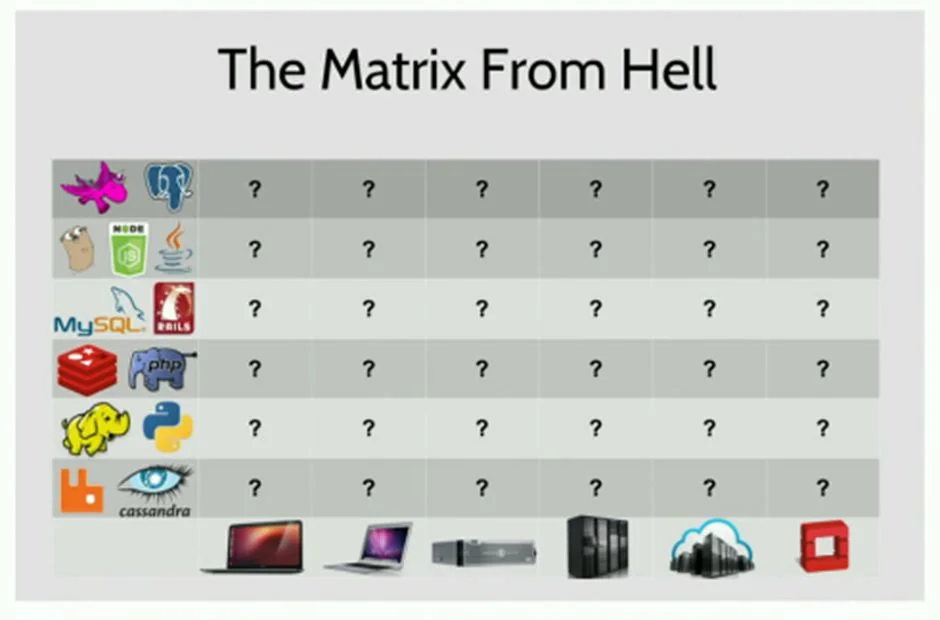
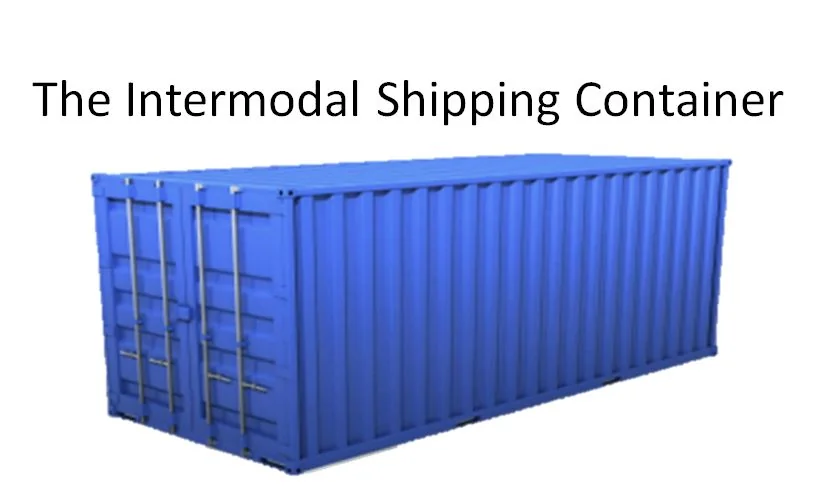
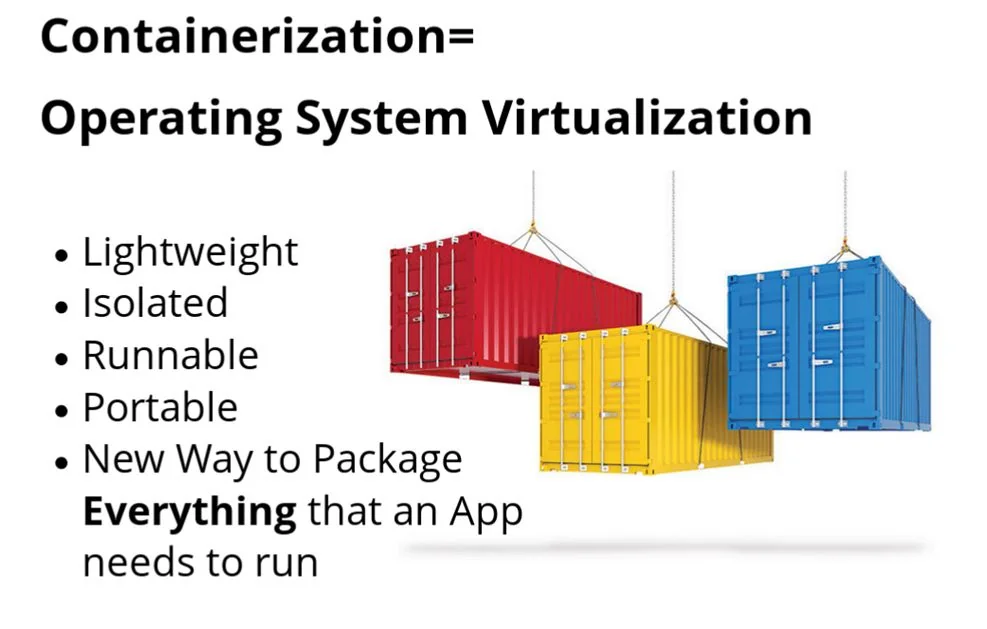
IT has problems, and it looks like something from another industry

Maybe we can use the same concepts
VM architecture | container architecture
Summary
What is Docker?
- Docker Inc — started as dotCloud, pivoted into containers
- Dock worker > Docker — dock workers are people who work on transport containers
- Early days concentrated on building the community and the Docker stack
- Now is focused on enterprise container management
- Docker the technology — open source, available on GitHub — https://github.com/docker/docker-ce

Docker images
- Foundational unit of a container
- Read-only template, and can be the source for multiple containers
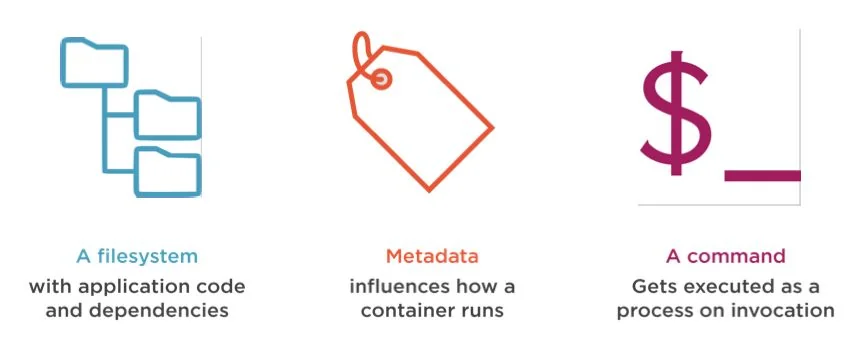
- Key elements:
- a filesystem, including any relevant application code, packages, libraries, or other dependencies that the container needs to execute correctly
- metadata such as environment variables or ports to expose, which can influence how the container is run
- a command, which determines what process gets executed when the container is invoked

Anatomy of a Docker image
- A JSON object that serves to define the image.
- It has two key components:
- Configuration object: governs how the container will operate — the ports to be exposed, the command to be executed as the container’s process, the environment variables, etc.
- Root filesystem object: an ordered list of references, each of which points to a set of files and directories that collectively are referred to as a layer.
- After an image is created or pulled from the registry, the associated filesystem layers are stored locally as independent directories, identified by a 256-bit hash of the layer content — a digest.
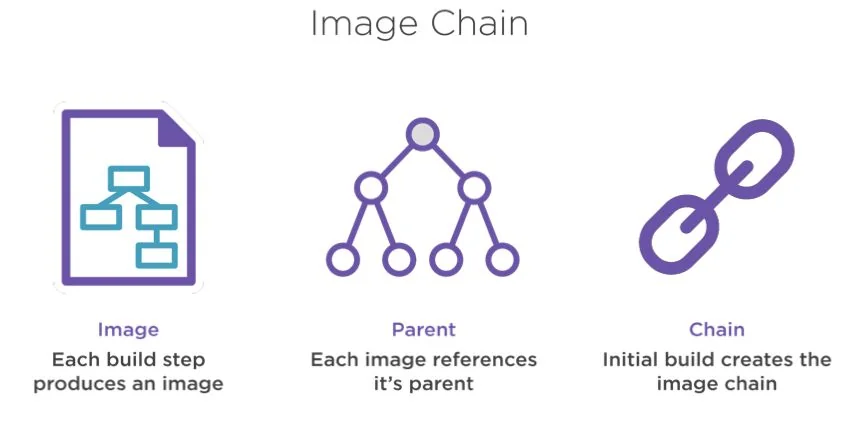
- The layers are chained to each other and are read-only, except for the topmost layer, which is read-write.
- Any change made to a file in a lower layer is done by first copying the file to the topmost layer and then making the edit. This is called copy-on-write.


Building a Docker image
Two different techniques for creating Docker images:
- Running a container, executing commands within the container, and then committing any changes made to the container’s filesystem to a new Docker image.
- An ad hoc technique that uses the docker commit CLI command
- Often results in suboptimal Docker images
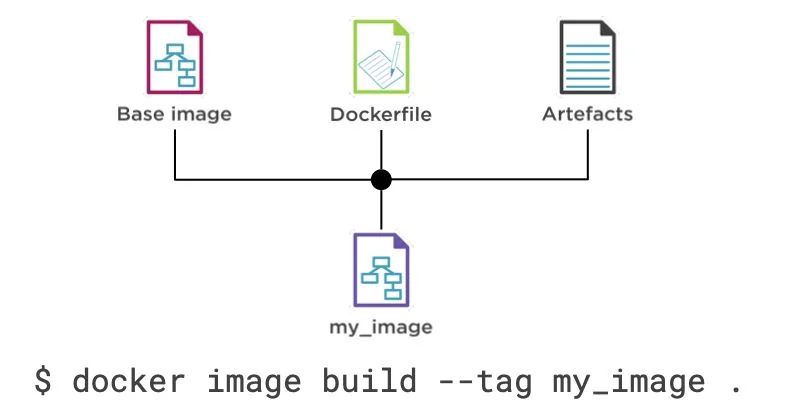
- Building an image based on a sequence of instructions in a special file called a Dockerfile.
- Dockerfile instructions are executed using the docker build CLI command
- Leads to images optimised for running specific application services
- The recommended method for authoring Docker images
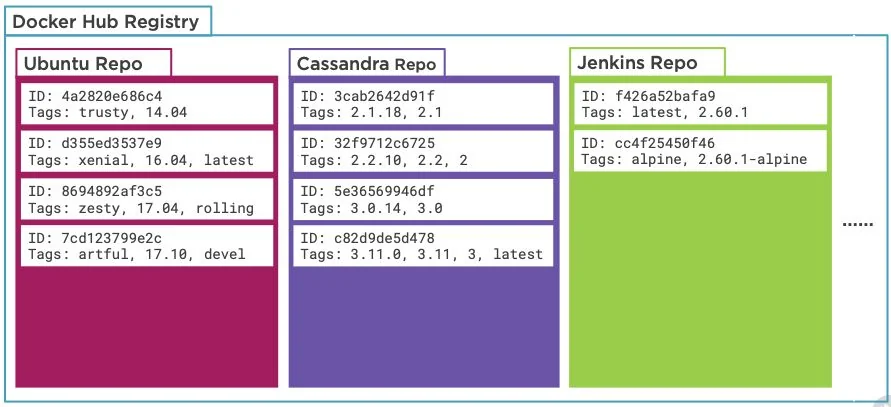
Docker registry
Think of it like a GitHub for Docker images.
It contains a set of Docker repositories. A Docker repository is a set of related Docker images.
Docker runs the most popular Docker registry, called Docker Hub.
Ideally your Docker image should reside in a Docker registry with the appropriate tags.

Let’s have a quick break for tea…
What is Kubernetes?
- Started at Google as an open-source successor to their internal projects, Borg and Omega. Open-sourced by Google in 2014.
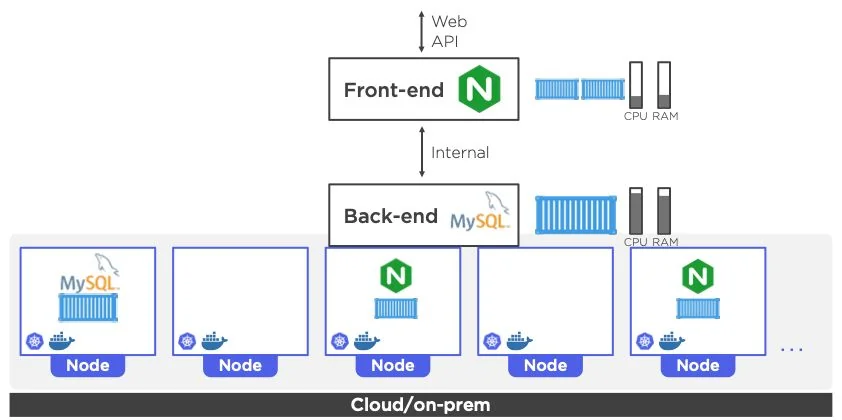
- Kubernetes orchestrates computing, networking, and storage infrastructure on behalf of user workloads.
- Kubernetes is comprised of a set of independent, composable control processes that continuously drive the current state towards the provided desired state.
- The name Kubernetes originates from Greek, meaning helmsman or pilot, and is the root of governor and cybernetic. K8s is an abbreviation derived by replacing the 8 letters “ubernete” with “8”.
- Part of the Cloud Native Computing Foundation — a series of projects that build tools for the cloud.

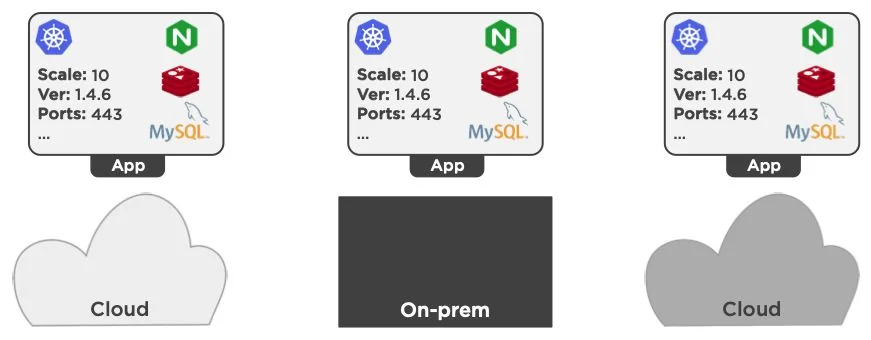
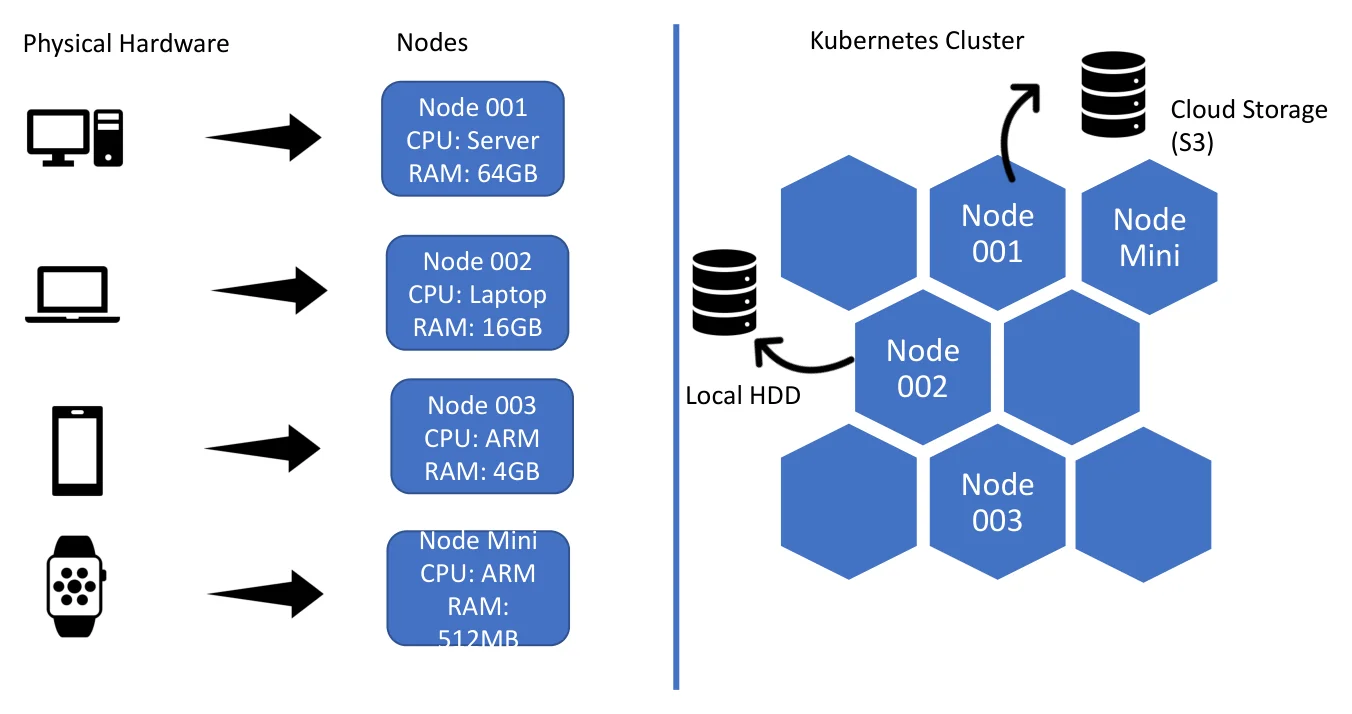
Kubernetes containers can run wherever a cluster can be set up
From hardware to a cluster
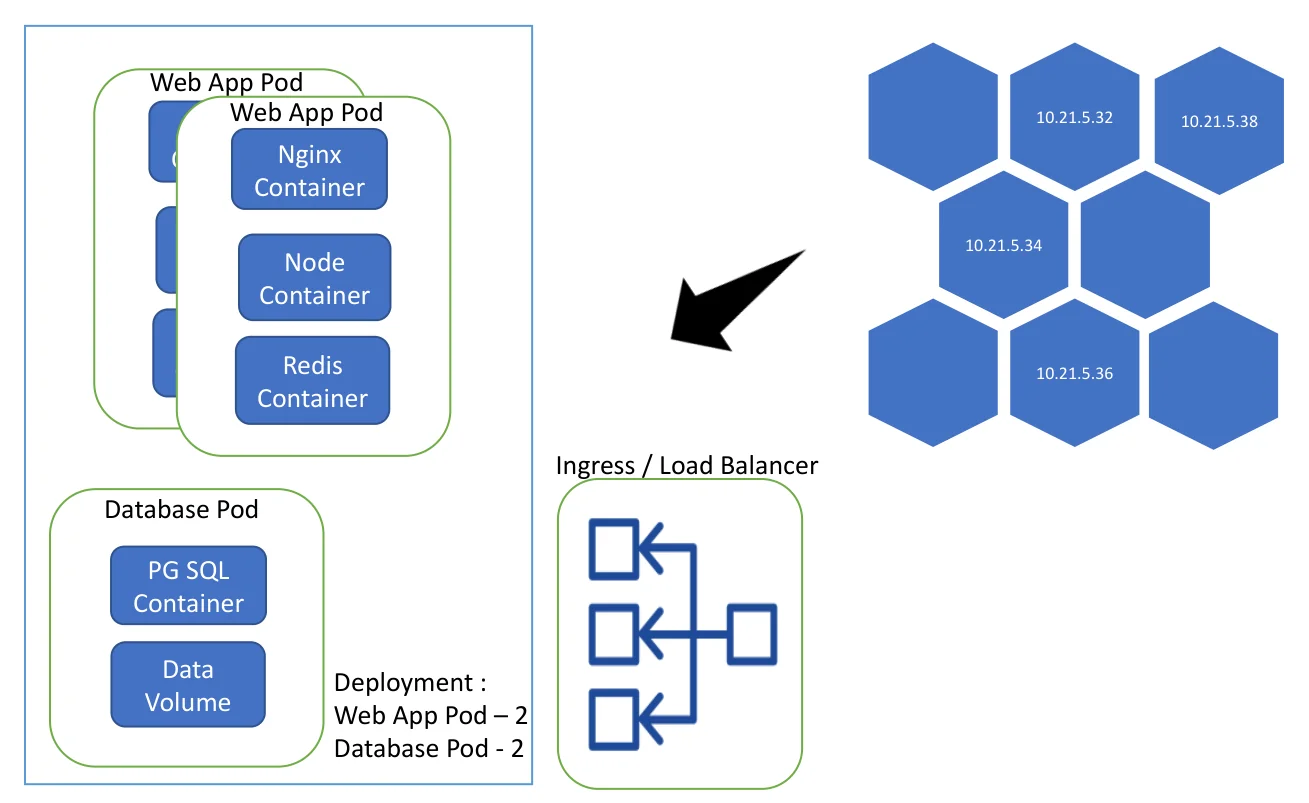
Pods, deployments and ingress
Kubernetes orchestration
Break for lunch…
Kubernetes cluster setup
Hands-on coding
Deploying a container to Kubernetes
Hands-on coding
Break for tea…
What next? Some avenues to explore
- 12 Factor Apps — a methodology for building cloud-scale software-as-a-service apps. https://12factor.net/
- CNCF — the Cloud Native Computing Foundation, the primary body responsible for the Kubernetes project as well as a lot of others. https://www.cncf.io/
- Kubernetes documentation — https://kubernetes.io/docs/home/
- Docker documentation — https://docs.docker.com/
- Kubernetes Operations (kops) — https://github.com/kubernetes/kops
- Helm — https://helm.sh/docs/